How Should Brands Define Camera Indicator Behavior Across Operating States?
Define baby monitor camera indicator behavior with a state-to-meaning map that improves sample review, instructions, and B2B product decisions.
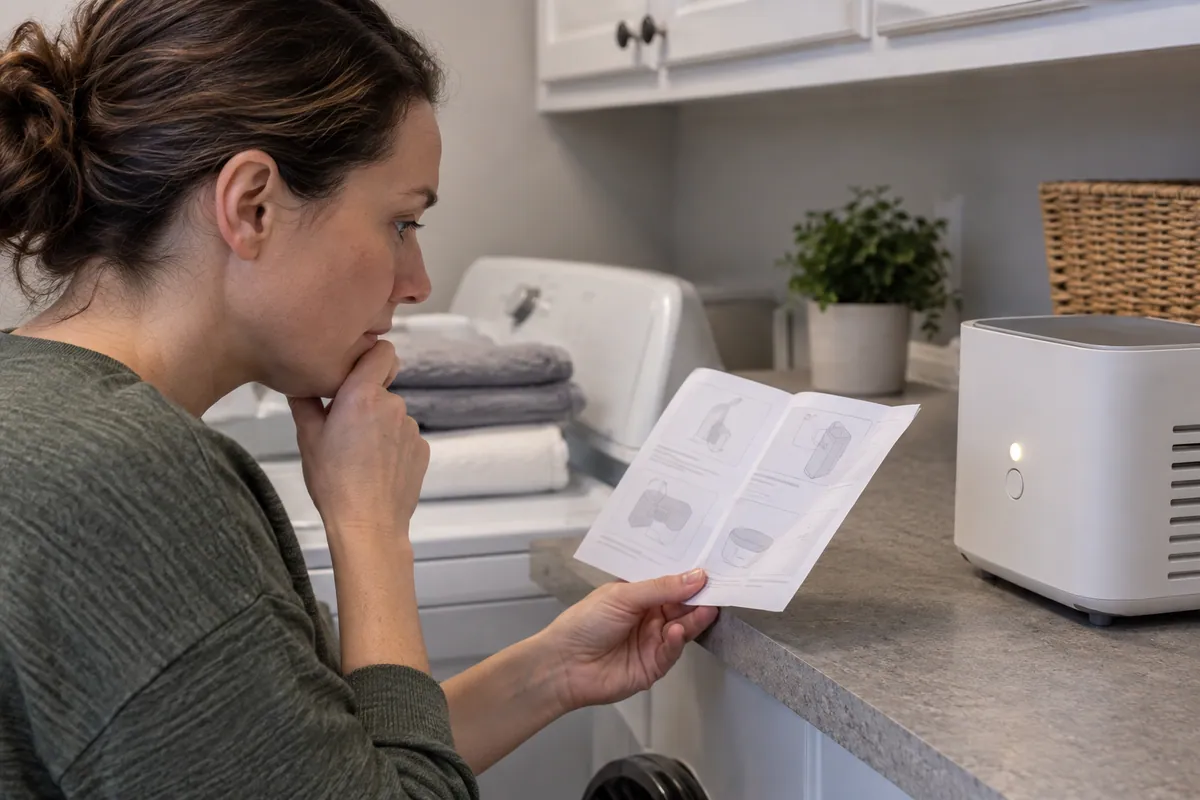
An indicator light is useful only when a user can connect what they see to a documented device state. Brands should therefore define indicator behavior as a state-to-meaning map, not as a decorative LED choice. The map must be confirmed for the selected baby-monitor configuration; it cannot be inferred from a housing photo, a similar platform, or an app mockup.
ANHONG can support product definition, hardware, firmware, App/UI, samples, and quality testing. That gives a brand a route to discuss the requested behavior, but it does not mean every camera has the same light, colors, settings, or status logic.
Which States Need a Visible Meaning?
List only states that the user must distinguish in the intended task: power available, setup needed, connected viewing, a documented fault condition, or a user-selected mode if the configuration supports it. Then state what the user should do after seeing the light. “Blue means normal” is vague; “the instruction directs the user to continue setup” is a usable outcome.
NIST’s IoT catalog includes cybersecurity-state awareness. That is a helpful reminder that device state needs intelligible communication, not a requirement that a camera use a particular LED pattern.
| State to define | Actual evidence to request | Copy risk to avoid |
|---|---|---|
| Startup | Confirmed sample sequence | Calling a momentary light a fault |
| Connection state | Demonstration and instructions | Claiming universal network health |
| User-selected mode | Configured sample readback | Inventing a privacy or recording state |
| Fault or recovery | Supplier-confirmed handling | Using a color without an action path |
How Should Buyers Review the Map?
Use a one-state-at-a-time observation. Record the camera’s starting condition, trigger the documented state, capture the actual light behavior in ordinary room light, and record what the parent unit or app shows if those routes are in scope. Then return to baseline. Do not judge brightness, battery draw, or regulatory compliance unless those requirements have their own evidence.

Review color independently from meaning. A light that relies only on color can be difficult to describe remotely or interpret under different conditions. A useful brief asks for redundant information where appropriate: position, pattern, adjacent text, or a documented in-app status. It does not prescribe a feature the selected hardware cannot support.
How Can the Map Be Reviewed Beyond a Single Color?
Add a “seen by whom” column. An indicator on the camera may be visible to a person nearby but not to somebody viewing from another room. A parent-unit icon may be useful to that viewer but irrelevant beside the camera. This does not demand every indication everywhere; it identifies whether the intended person receives enough information for the intended task.
Review transitions as well as steady states. Startup, connection-seeking, and stable connection behavior can be confused if instructions do not say which is temporary. Record sequence order, whether the pattern repeats, and the exact wording the user receives. Do not set a universal duration threshold or describe a state as an error unless the selected configuration’s documentation says so.
Ordinary-light observation is more useful than a studio image. Look at the device from the distance and angle expected in setup or routine use. If status is difficult to distinguish, record that observation and ask whether another documented feedback route exists. This limited review is not an accessibility compliance claim; it is a prompt for a product and documentation decision.

Before release, perform a wording readback. Give a reviewer only the quick-start sentence and ask what action they would take after seeing the named indication. Compare that answer with the intended action in the state map. A mismatch does not prove product failure; it shows the instruction, label, or support phrase needs a clearer owner. Preserve the record with hardware and firmware identity so later changes have an explicit recheck trigger.
How Should the Result Reach Instructions?
The same words should appear in packaging, quick-start material, and support intake. Each row needs an owner: product owner approves the intended meaning, supplier confirms the implemented configuration, and documentation owner checks the reader action. If one state is not observable, do not silently fill the gap with generic marketing language.
For a new camera definition, use product development and customization to frame the requested state map. Send the selected routes and market through contact ANHONG before requesting a sample review.
What Else Should Brands Ask?
The final map should identify its change trigger. A camera-housing revision, firmware update, altered onboarding flow, or different regional instruction can change the practical meaning a user receives. Rechecking the map does not assume a defect. It simply keeps product behavior, user language, and support training connected to the reviewed configuration.
This check also makes later support intake more specific: ask what was seen, where it was seen, and what action followed, before assigning a cause.
Keep the state map in the release record rather than leaving it in a design meeting. When a support report arrives, the team can compare the user description with approved indicator meaning, observed route, and relevant version. That does not turn the map into a fault diagnosis. It makes the first technical question precise: is behavior within the documented state sequence, or is there a difference requiring review?
The map is also useful for private-label localization. A translated quick-start sentence can accidentally change an action instruction even when LED behavior is unchanged. Review state name, user action, and accompanying icon together before release. If a market needs wording that the confirmed behavior cannot support, hold the claim rather than invent an explanation.
Can color alone carry every meaning?
It should not be assumed. Ask what other documented cue or instruction is available for the selected configuration.
Does an indicator prove a camera is recording?
No. Do not infer recording, transmission, or privacy behavior from a light without configuration-specific evidence.
Can the pattern change by firmware version?
It may. Identify the reviewed version and ask how documentation is maintained when behavior changes.
Is this a certification test?
No. It is a product-definition and usability record.